“Libraries are palaces for the people” — Andrew Carnegie
I’m excited to announce our newest app for eBooks and audiobooks! Our collection that was previously available on the Boundless app has migrated to The Palace Project. Palace is so user-friendly and easy to use, you will have no issues finding your next favorite read!
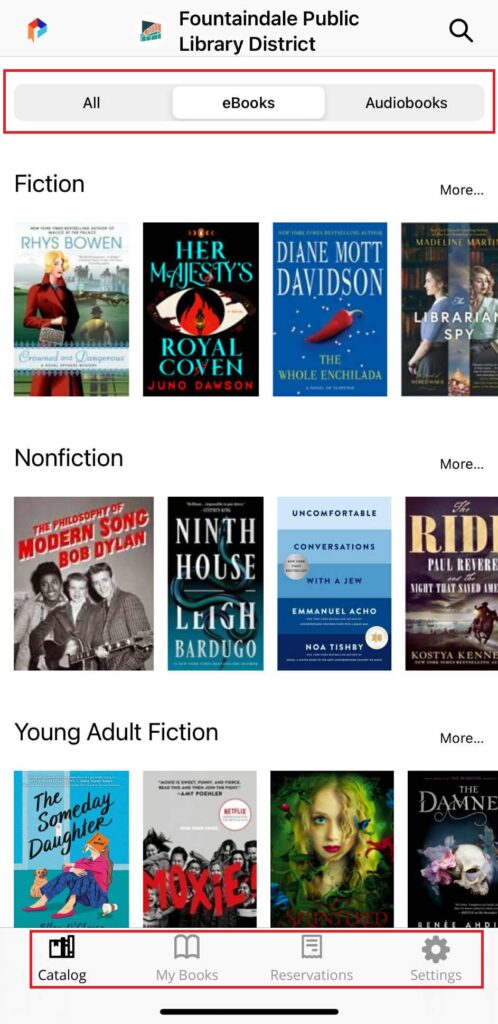
You can download The Palace Project app through the Apple App Store or Google Play Store. Once you download the app, select “Fountaindale Public Library District” to sign in with your library card number and PIN. After that, you’ll have access to our exciting collection of eBooks and audiobooks available on the Palace app! Once logged in, you will see four different tabs at the bottom of the screen that will help you navigate through the app: “Catalog,” “My Books,” “Reservations” and “Settings.”
Catalog:
This tab is Palace’s main page to explore titles. There are three tabs across the main screen for quick browsing: “All,” “eBooks” and “Audiobooks.” The app defaults to “All,” allowing you to browse the entire Palace collection, but you can choose the “Audiobook” and “eBook” tabs to filter between formats. There is also a quick search feature at the top of the screen. All you have to do is click the magnifying glass icon to search for a specific title, author or keyword. To help distinguish between eBooks and audiobooks, Palace includes a small headphones icon on the bottom-right corner of the audiobook’s covers for easy browsing.
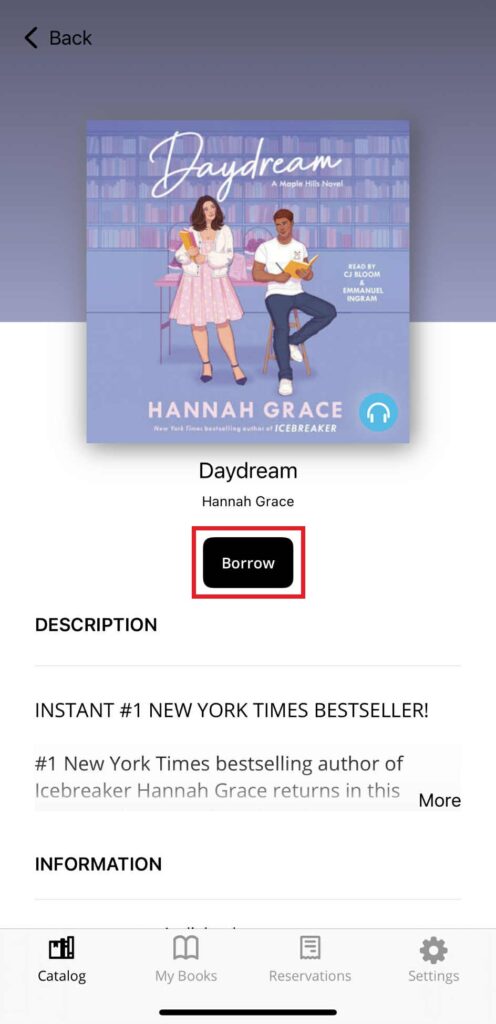
If you want to learn more about a title, simply tap its cover. There, you can read the book’s description and discover other helpful information, including publishing information, category and audiobook duration. If you’re interested in checking out the title or placing the title on hold, click the “Borrow” or “Reserve” button. Just like in Boundless, you can check out a title for 14 days with up to five checkouts at a time. When you check out materials, the titles can be viewed under the “My Books” tab. If you placed titles on hold, you can view those under “Reservations.”
My Books:
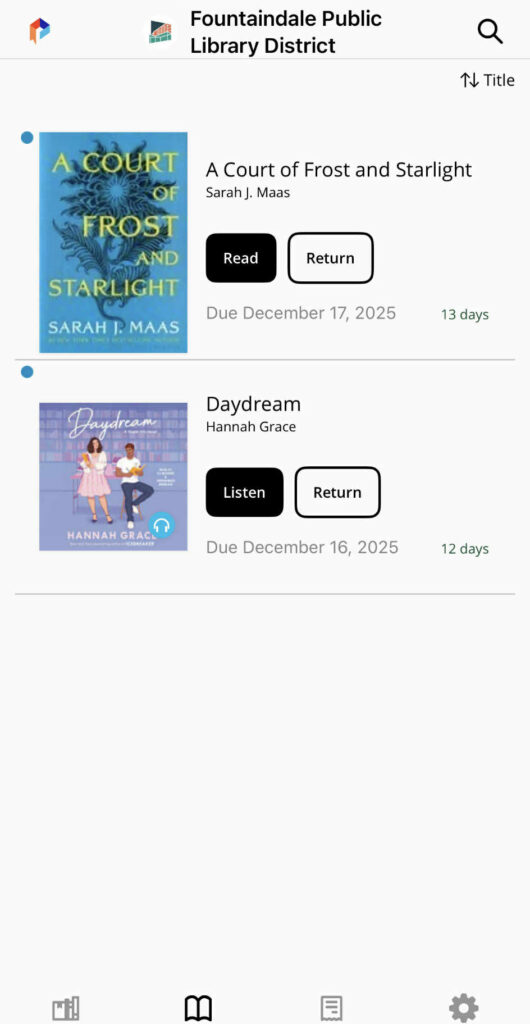
All of your current checkouts will appear in this tab. If you would like to read or listen to one of your checkouts, click “Download.” The button will change to say “Read” or “Listen” when the title finishes downloading. You can click the button to enjoy your book.
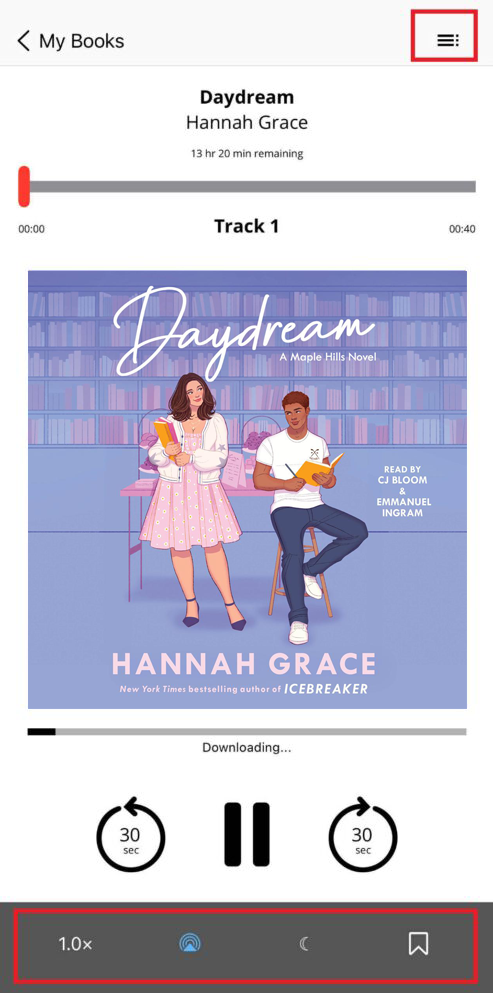
If you’re listening to an audiobook, you will see options to change the speed, connect via Bluetooth, set up a sleep timer and add bookmarks from the bottom menu options. In the top-right corner, there is a menu icon that allows you to view the table of contents and any bookmarks you have created.
If you’re enjoying an eBook, the eReader will allow you to search within the book, view the table of contents, change the text font and size and save bookmarks. Similar to the audiobook player, if you click on the table of contents, you’ll also be able to view any of your created bookmarks.
Reservations:
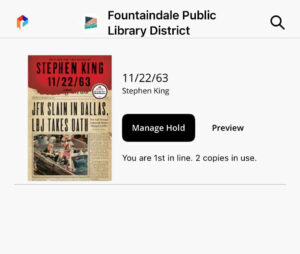
You will find all of your holds in this tab. Information regarding your placement in the holds queue is available here. You can have up to five holds on your account at one time, and you can click the “Manage Hold” button to cancel your hold if you are no longer interested in that title. Once your hold is ready, you will have two days to check out your hold before it lapses.
Settings:
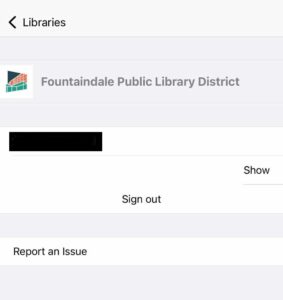
The Settings tab provides helpful information about The Palace Project app, privacy policies, user agreements and software licenses. Under “Libraries,” you can manage your library information. You can also use this section of the app to report any issues you may come across while exploring Palace.
You officially have everything that you need to get started in Palace. If you need additional help navigating the app, watch the videos below. When you sign into Palace with your library card, you’ll gain access to thousands of great titles. Download the Palace app now!